Skincare photography
Skin care product photography AI, grounded in your packaging.
Keep the bottle, tube, label and formula texture distinct from the lighting mood. Prepare a skincare photography brief around the details that make your actual product recognizable.
Open this workflowAI generation, saving and collaboration are available. Choose Seedream, Nano Banana or GPT Image in Generate. Krea’s official model is not connected.
References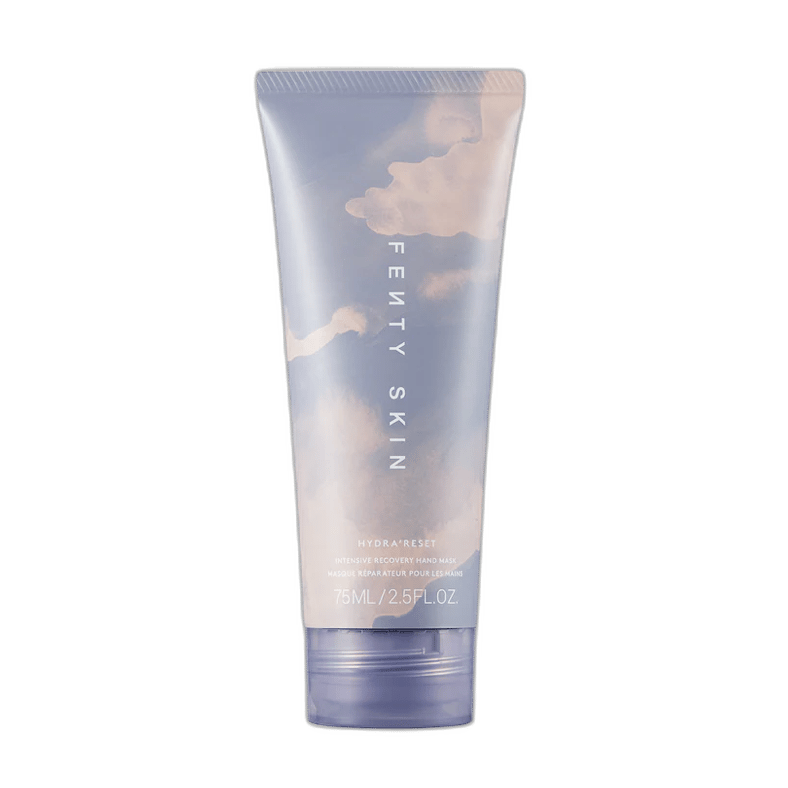
Person · Background
Product · Style
Person · Background
Packaging + texture + lightingWorkspace illustration · not a generated result
What to bring
Give each reference one job.
A separate sample for cream, gel or liquid texture.
The campaign setting, surface or lighting reference.
A ready-to-edit starting point
Your workflow brief.
This brief opens with the reference board. Adjust it for your actual images and intended output.
Skincare photography brief: preserve the packaging silhouette, cap, label layout and product proportions. Use a separate texture reference for the formula and a style reference for lighting. Do not invent label text or product claims.
Use this brief in the editor ↗Treat the label as a product detail
A package is more than a colored shape. The label, cap, dispenser and proportions make it identifiable. Start with a readable front view and add an angle when the side of the packaging matters. Keep the reference image available rather than asking the image model to invent small text.
- Check that the label is readable at the intended output size.
- Include transparent or reflective packaging in more than one light condition when useful.
- Use actual packaging text and avoid adding unsupported product claims.
Keep formula texture and atmosphere separate
A cream swatch, gel ribbon and liquid splash communicate different material properties. Decide whether a texture reference represents the actual formula or only a visual direction. A campaign background should support the product without becoming evidence for an ingredient or benefit claim.
- Label texture references so reviewers know what they represent.
- Record the intended surface and lighting direction.
- Keep ingredients and product claims tied to verified packaging information.
Build a reusable campaign composition
Generate a skincare scene from packaging, formula texture and lighting references with Seedream 5 Pro or Nano Banana. Review the label, cap and dispenser against the source; the model may alter small text or proportions. Save the original result, then add it to the shared canvas for campaign copy and layout.
- Reserve space for campaign copy before exporting.
- Keep a reference board for each packaging variant.
- Review the product at full size alongside the final manual layout.
Workflow questions
Skincare photography questions
Can I generate new skincare scenes now?
Yes. Add the packaging and optional texture or background references, then open Generate. The image generation integration saves each result to your project. Review packaging text and product details before use.
Can I work with several product variants?
Yes. Keep their source images and labels separate, and use different projects when the campaign directions differ.
Does a 2K canvas improve a low-resolution label?
No. A larger canvas changes output dimensions; it does not recover missing source detail. AI upscaling is a separate, planned tool.
One shared workspace
Turn a reference into a clear direction.
Bring your images, arrange the canvas and share the next step.
Open the editor preview Generate with Seedream 5 Pro or Nano Banana, then edit and export. Shared preview allowance applies.